
0
Product added
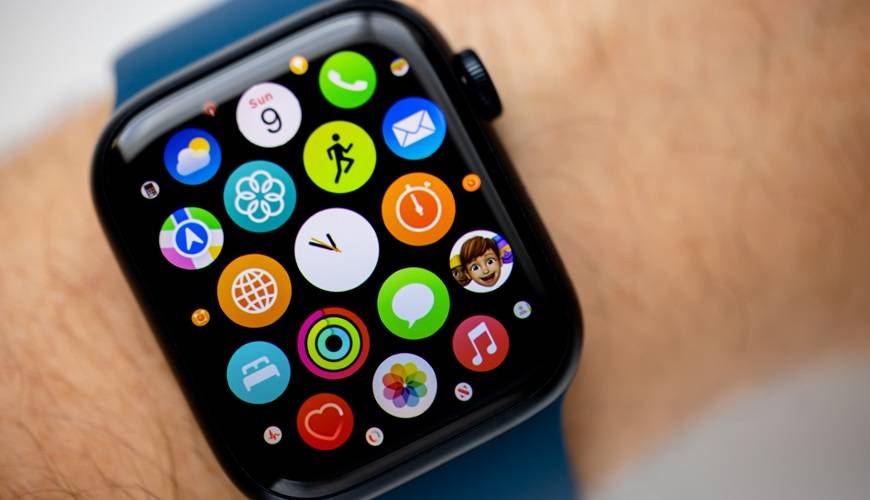
We all know at least one person who owns a smartwatch - and for good reason. This little wrist-worn device has, over the past few years, won over a remarkable number of people who, truth be told, rarely take it off anymore.
But do you know when this revolutionary object was invented? How it works? And everything it can do for you day to day?
If you're looking for answers to all these questions, you've come to the right place - this is your complete guide to smartwatches!
When you think of a smartwatch, chances are the first image that comes to mind is a sleek, modern device packed with technology. And that makes perfect sense - these gadgets have only gone mainstream quite recently.
You might be surprised to learn that the very first smartwatches appeared back in the 1980s. Yes, really! Of course, we're not talking about Apple Watches or Garmin watches built for all kinds of sports - rather, pieces that incorporated technology that was truly revolutionary for their time!
To fully understand this fascinating story, let's travel back to the early 1980s - 1982 to be precise. With his hit "Quand la musique est bonne," Jean-Jacques Goldman was among the most-listened-to artists of the moment, right alongside the American group Earth, Wind & Fire and their iconic track "Let's Groove."
Around the same time, a company unveiled a watch with programmable memory on the market. You've almost certainly heard of this company, especially if you've read our guide on hybrid watches, and that company is Seiko.
But let's not keep you in suspense any longer… The very first smartwatch in history was the Pulsar NL C01 (manufactured by Seiko).
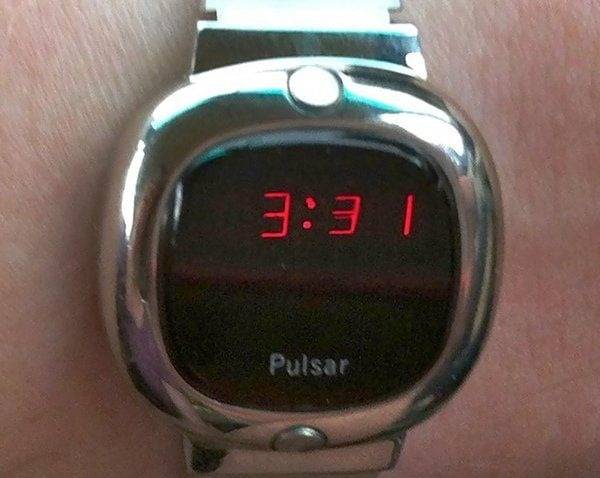
Pulsar NL C01, 1982 (Source: Tom's Hardware)
In addition to storing 24 bits of information, this chrome-cased Pulsar watch had the ability to connect to what is known as a "dye-sublimation printer" - a computer peripheral designed to print on a variety of materials. Even more surprisingly, it was possible to connect the Pulsar NL C01 to a memory card slot. For the era, this was nothing short of futuristic!
But Seiko wasn't done yet… A year later, in 1983, the brand unveiled an even more advanced model: the Seiko Data 2000. With its distinctive look, it seemed like it had stepped straight out of a science-fiction film.
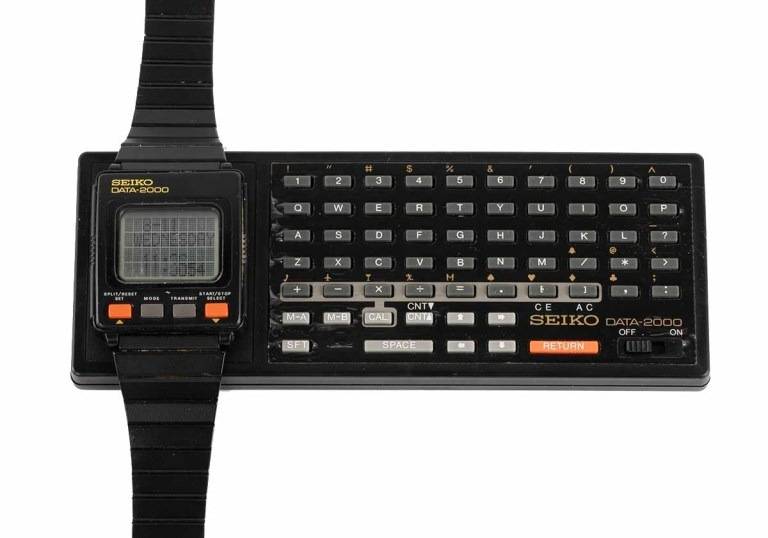
Seiko Data 2000, 1983 (Source: deutsches uhrenmuseum Blog)
And brace yourself - this Seiko Data-2000 could hold not just 24 bits, but a whopping 2,000 bits of information! If you were the lucky owner of this model in the early 1980s, you could store 2 notes, multiple events in the electronic agenda, and even use the built-in calculator.
To access these features, you had to connect the back of the watch to a small external keyboard made of black plastic. It was specifically designed to be used directly on the wrist.
Shortly after, the same Japanese brand released the Seiko UC 2000, a model that looked very similar at first glance - with one key difference. It could be docked onto a keyboard designed to be used flat on a desk, which, as you can imagine, made typing far more comfortable.
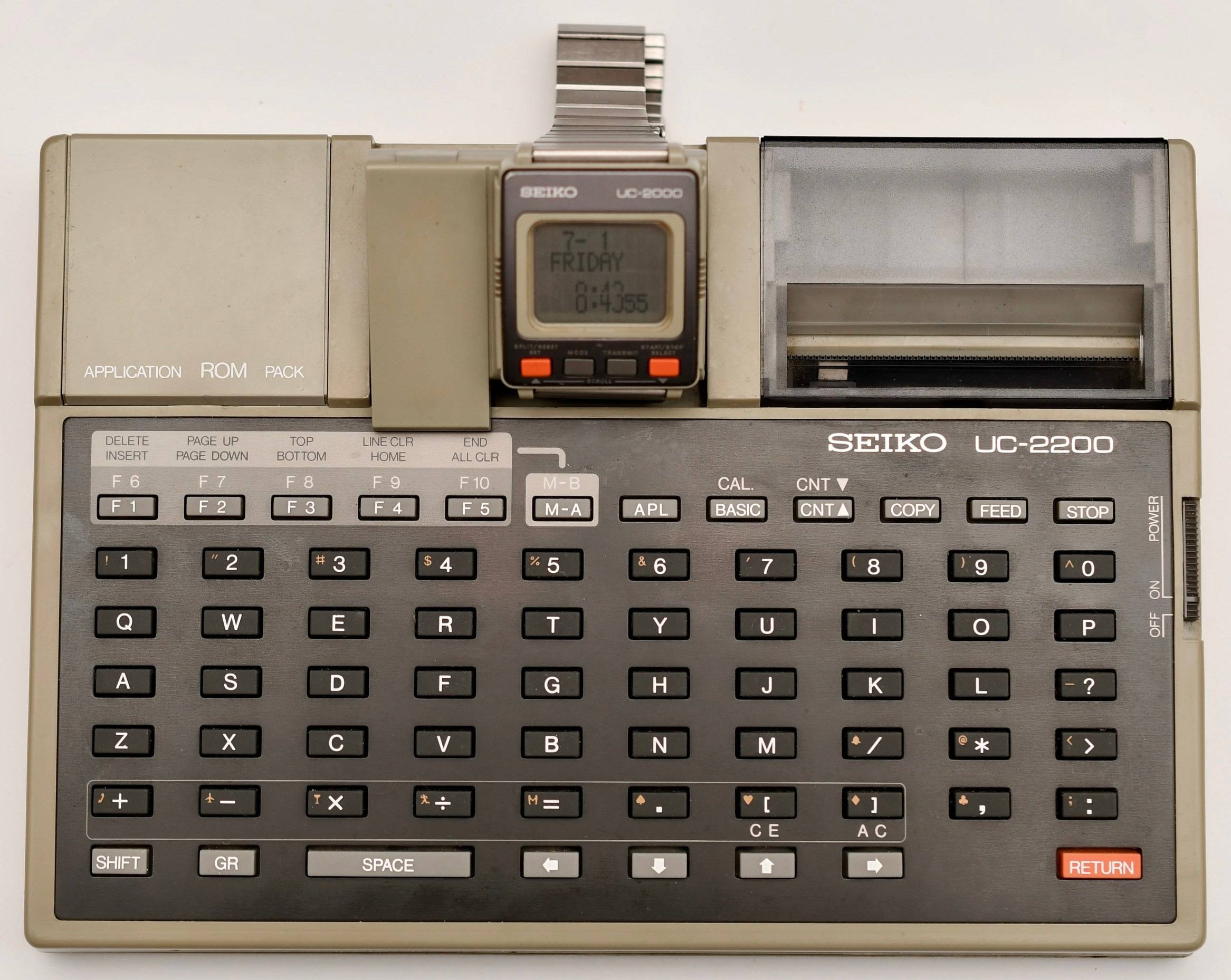
Seiko UC-2000 on Seiko UC-2200 keyboard (Source: Old Crap Vintage Computing)
But all these devices - which we might call "the first smartwatches in history" - shared one key limitation worth keeping in mind. Even though they could be connected to a keyboard or a printer, none of them could be connected to a computer.
It wasn't until 1984 and the launch of the Seiko RC-1000 that things really changed! This piece could be synced with several computers of the era, including the Apple II, IBM and NEC PCs, as well as the Commodore C64 models developed by Commodore Business Machines Inc.
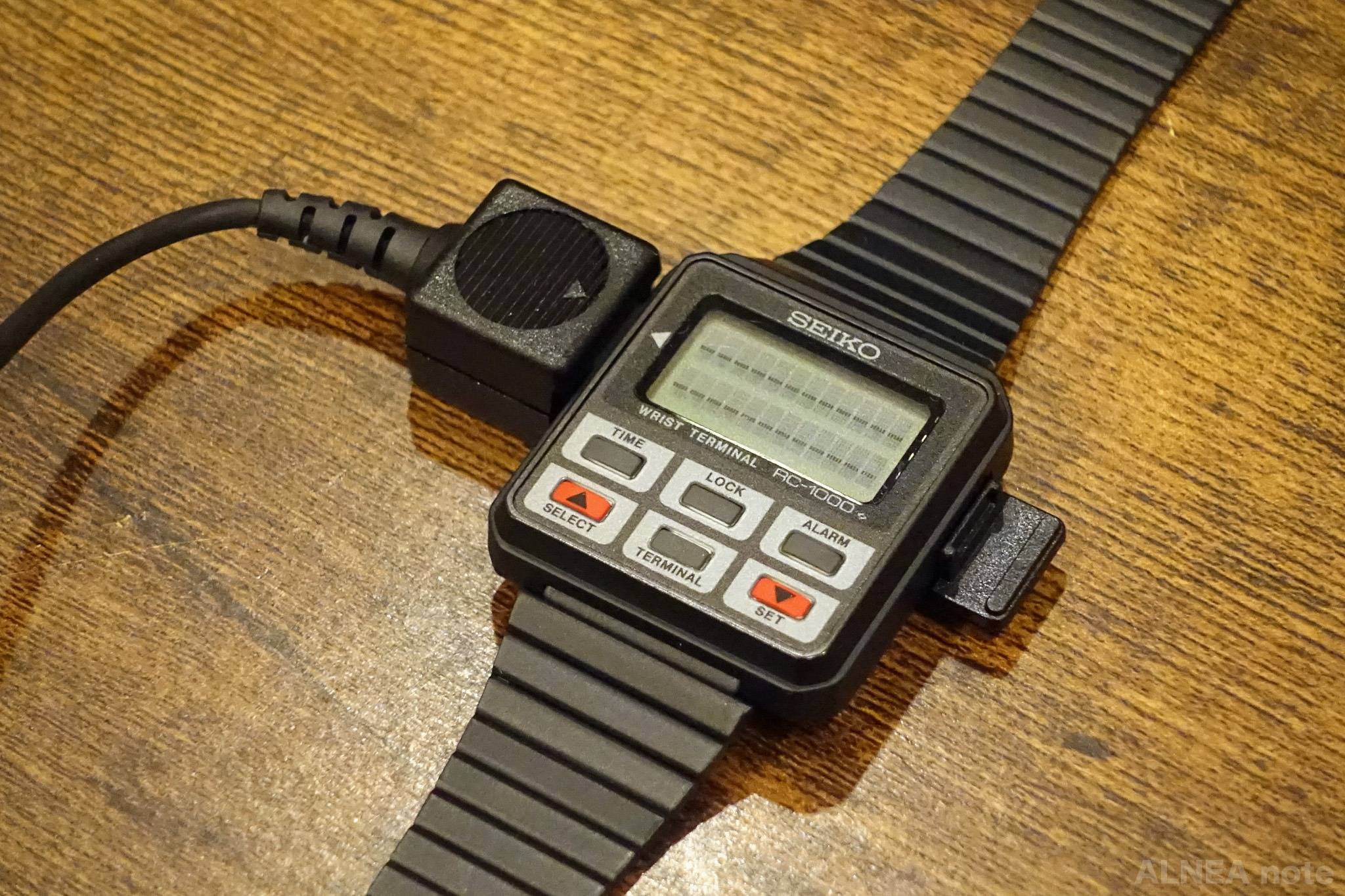
Seiko RC-1000, 1984 (Source: MSX)
By connecting Seiko's RC-1000 to your computer, you could sync your address book, personal lists, and various documents. You might find this surprising, but when it launched, the model was met with a lukewarm reception from the public - not because of its technology, but because of its finish. Indeed, the Seiko RC-1000 originally shipped in a black plastic case that was, it has to be said, rather low-end looking. Seiko took note of the criticism and corrected course by releasing a version with a metal case.
In September 1985, British company Sinclair unveiled its smartwatch - a creation that, as you'll see, is bound to raise a smile. That piece is the FM Radio Watch, and yes, you're reading that right: the watch we're about to tell you about is indeed equipped with a built-in FM tuner!
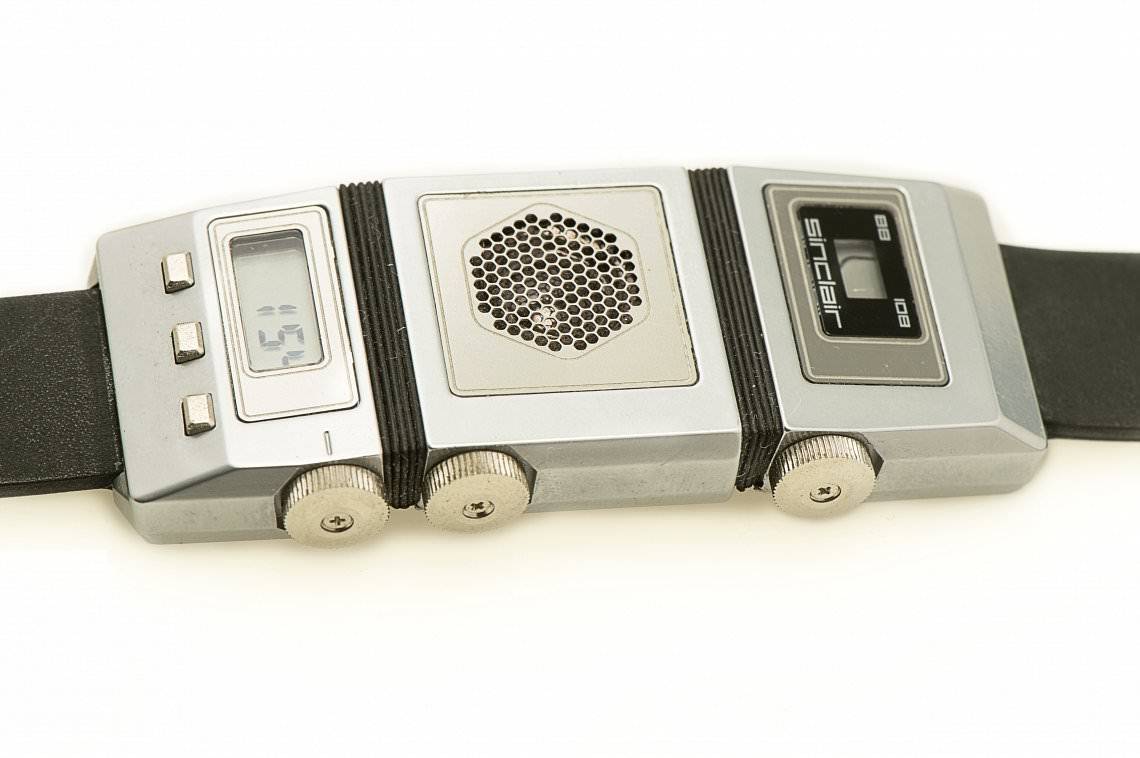
Sinclair FM Radio Watch, 1985 (Source: The FluXXWorks)
This watch, developed in partnership with Timex, featured a triptych layout with the FM module on the upper section and a speaker in the center. As for the timekeeping function, it was located on the lower portion of the face.
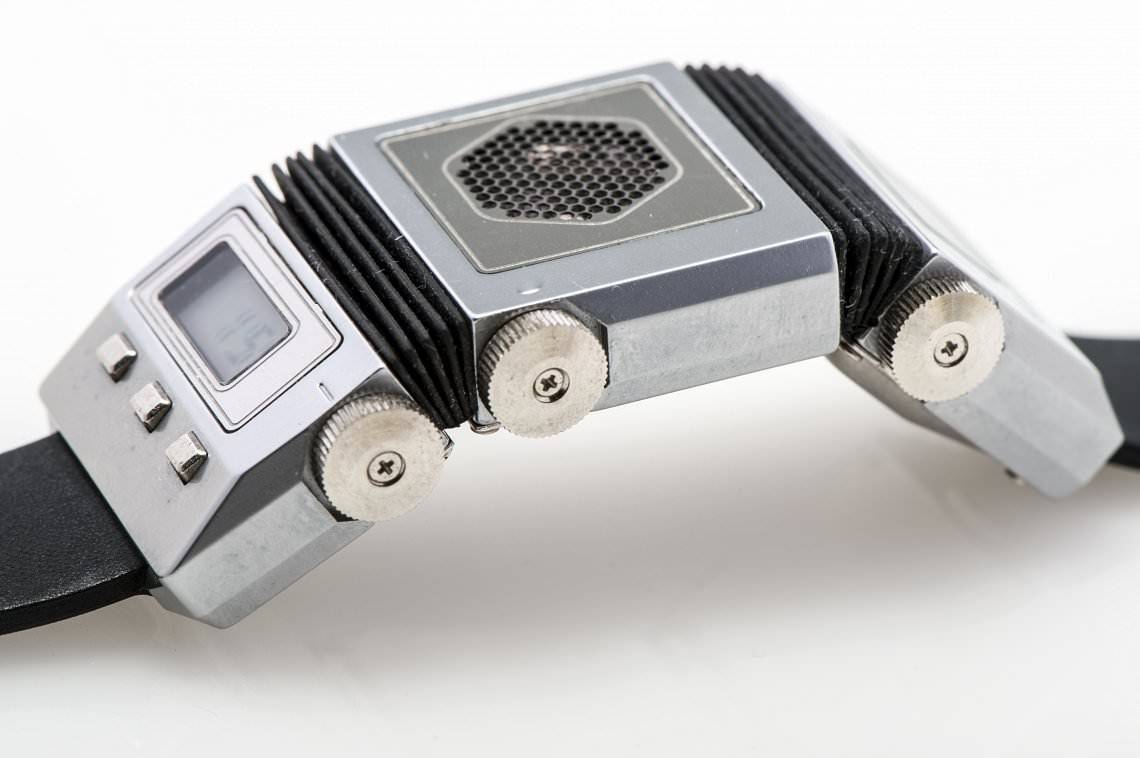
Articulations of the Sinclair FM Radio Watch, 1985 (Source: The FluXXWorks)
Although it was relatively long by the standards of the time, its case could still adapt quite easily to a variety of wrist sizes. Its two articulations - similar to those found on accordions - allowed it to be worn with a great deal of comfort.
It's worth noting that at the time, Sinclair was going through a particularly difficult financial period. As a result, the company ended up producing just over 10,000 units of its FM Radio Watch.
But in the 1990s, things picked up fast and smartwatches gained a tremendous number of new features! The Seiko Receptor, released in 1990, is a prime example of this shift.
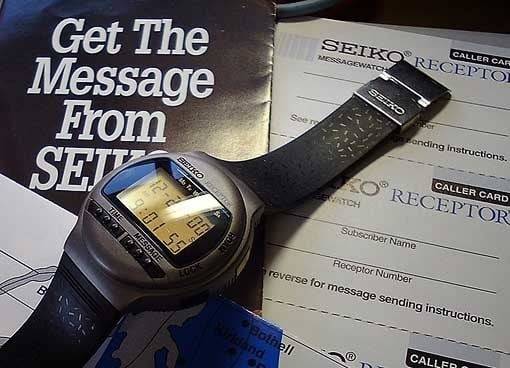
Seiko Receptor, 1990 (Source: Tom's Hardware)
Its standout feature was its cellular capability, which allowed it to function as a pager. To take advantage of this feature, you had to shell out $275 for the device and sign up for a $12.50 monthly plan with your carrier.
Its monochrome screen could display a message of up to 16 characters. We'll admit that, by today's standards, that sounds limited - very limited, actually. But to truly understand, you have to put yourself in the mindset of the era. In the 1990s, cell phones were bulky rectangular devices with a protruding antenna that barely fit in your pocket. We were still a long way from the smartphone age. That's precisely why the Seiko Receptor represented a major technological leap forward.
During this period, another Japanese player entered the market: Casio! In 1991, the brand launched its VDB-1000, a Data Bank watch featuring an LCD matrix touchscreen.
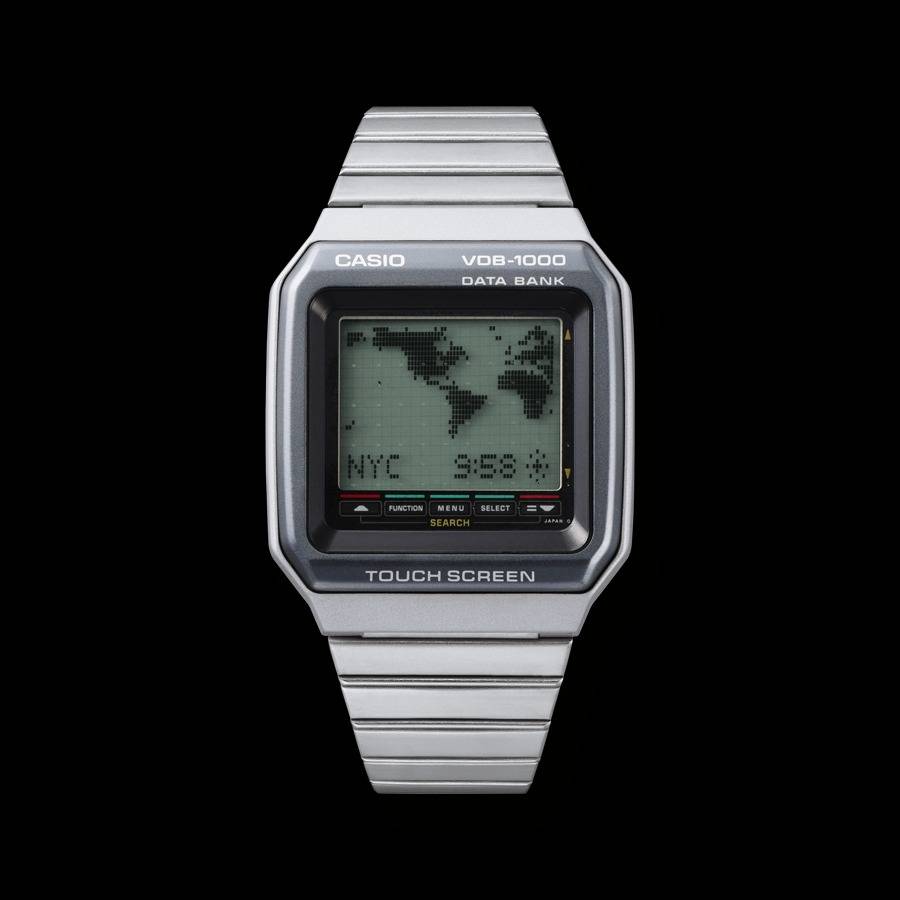
Casio Data-Bank VDB-1000, 1991 (Source: Casio)
It offered a full suite of features ranging from world time to an address book, along with a digital calendar.
That same year, the Casio DKW-100 was unveiled - another Data Bank watch. Its standout feature was its kanji dictionary function, which allowed users to search a total of 55,000 Japanese words simply by entering their phonetic reading.
A year later, in 1992, a watch with a rather unusual feature hit the market: an optical blood pressure monitor. Yes, you read that right - and that watch is the Casio BP-100!
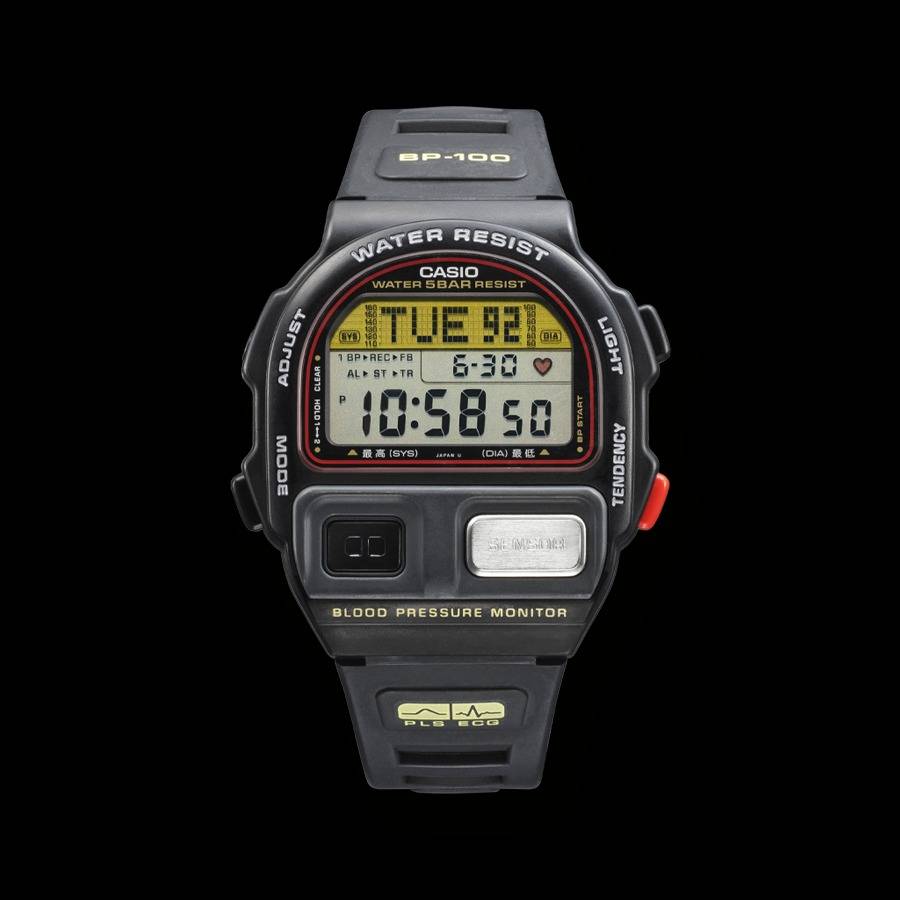
Casio BP-100, 1992 (Source: Casio)
Its optical sensor and ECG signals allowed it to analyze variations in blood flow and ultimately display your blood pressure right on the screen. It was the first watch on the market to feature a built-in blood pressure monitor.
In 1995, Seiko unveiled its MessageWatch, a watch whose design was broadly similar to that of the previous "Receptor."
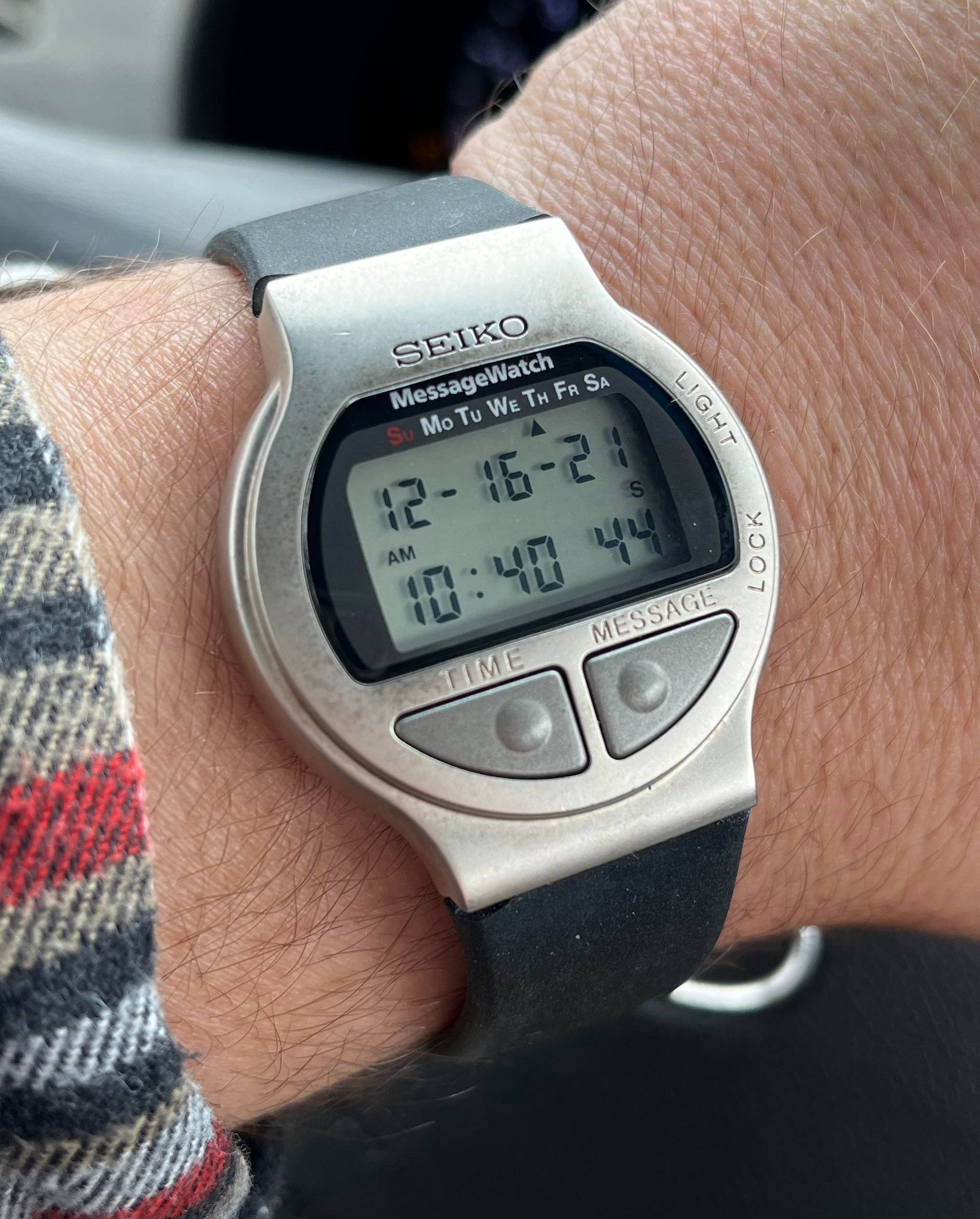
Seiko MessageWatch MA52-4A10, 1995 (Source: Reddit r/Seiko)
With this mid-1990s model, Seiko revisited the same winning formula behind the "Receptor" and added a new feature: FM. At this point, you're probably wondering whether, like the Sinclair FM Radio Watch, this Seiko watch let you listen to the radio through a small built-in speaker. And, at the risk of disappointing you… not exactly.
Indeed, the Seiko MessageWatch wasn't equipped with an FM tuner - instead, it had the ability to pick up FM bands and display certain information. Weather forecasts, stock market updates, and sports scores were all delivered by carriers and appeared, like magic, right on your wrist on the screen of your Seiko watch!
But there was a minor issue. The MessageWatch had certain technical limitations. Its monochrome screen could only display 16 characters - just like the previous Seiko Receptor. This restriction may seem trivial, but it meant that all the information we just mentioned couldn't always reach you in one go. In other words, to show you the score of the latest soccer match, the Seiko MessageWatch might need to send you not one, but two messages.
By the late 1990s, smartwatches were becoming increasingly powerful and were starting to resemble miniature computers! The Seiko Reputer, released in 1998, perfectly embodied this philosophy. Equipped with an LCD screen totaling just over 6,500 pixels and a 16-bit processor running at 3.5 MHz, it let you run a whole host of useful applications.
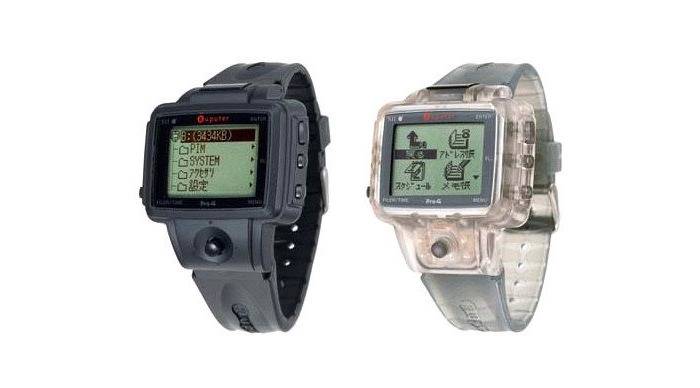
Seiko Reputer (Source: Hodinkee)
The interface was navigated via a tiny joystick located on the lower part of the case, just below the screen. Seiko's Ruputer drew criticism, notably for its non-rechargeable battery which - brace yourself - offered a runtime of no more than 3 months.
Around the turn of the millennium, personal digital assistants - or PDAs - were on the rise. For those who weren't around at the time, these were essentially pocket-sized computers that took the form of a mini tablet, typically controlled with a stylus.
This led several brands to start unveiling smartwatches directly inspired by these famous PDAs. IBM introduced its WatchPad in 1998, a model running on a Linux distribution with a built-in Bluetooth module.
In 2002, Fossil entered the scene with its own smartwatch in a similar vein: the Wrist PDA.
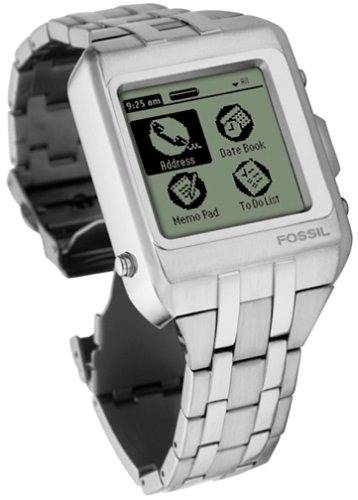
Fossil Wrist PDA, 2002 (Source: TechCrunch)
This connected device, designed to be worn directly on the wrist, ran on Palm OS - an operating system used at the time by PDAs from the American brand Palm.
Of course, other models would emerge, but they were fairly limited. And looking at them through today's eyes, they seem dated - to put it kindly.
In reality, all the pieces we've just looked at are more smartwatches than pure connected watches. As you may have noticed, several of them weren't connected to a mobile or internet network. Moreover, even if some of these timepieces could be synced with a PC, all of them were designed to function independently. And it's precisely on this last point that they differ from the smartwatches we know today!
Sony Ericsson was the first company to introduce, in 2007, what could be called a "modern smartwatch." That device was the MBW-150 - a watch specifically designed to work in tandem with a smartphone from the same brand.
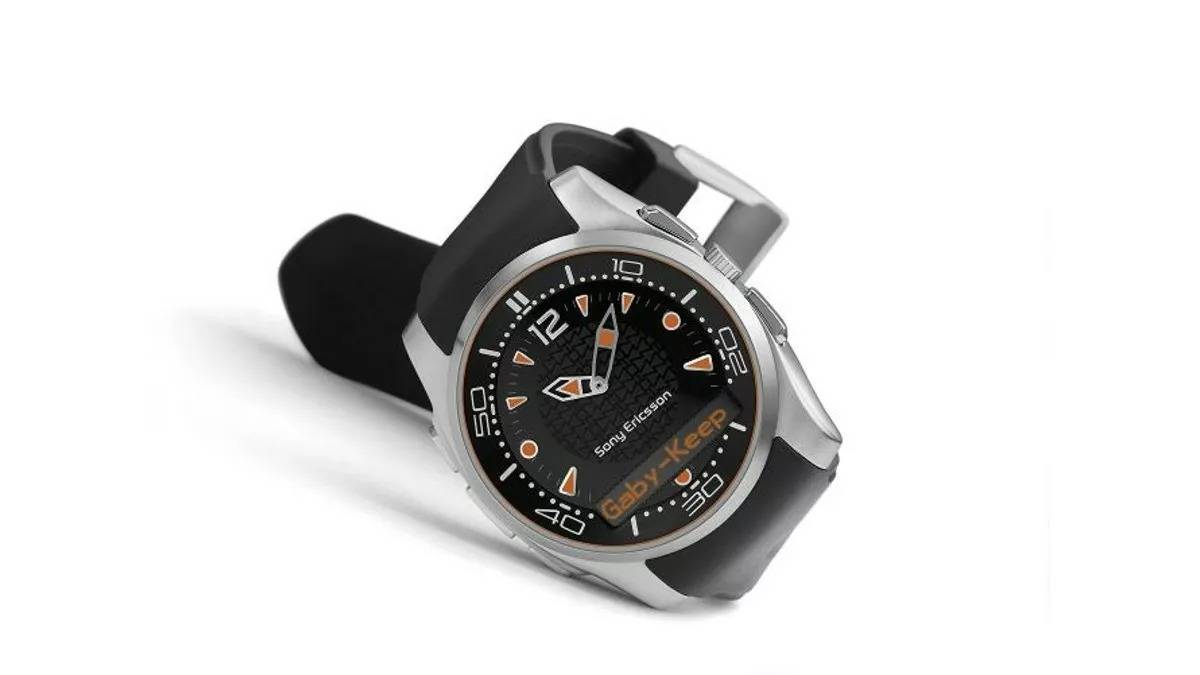
Sony Ericsson MBW-150 (Source: Generation-NT)
This Sony Ericsson smartwatch offered several handy features! Incoming SMS messages appeared on the small OLED screen embedded in its dial, and music playback was controlled via the buttons on its case. In short, it was starting to feel a lot like the models we know today.
Two years later, in August 2009, Korean brand LG made its move into the smartwatch market with the GD910.
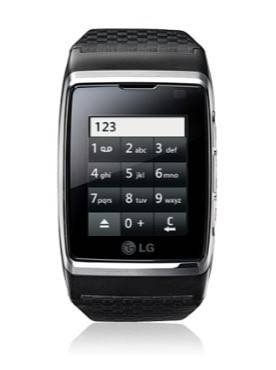
LG GD910, 2009 (Source: LG)
It was a watch-phone with a 1.4-inch screen and 3G connectivity. Among other things, it let you make phone calls and send SMS messages. Does it ring a bell? Looking at it closely, doesn't it look a lot like the touchscreen phones we were all using around that same time?
That same year, in November, an alternative was already available from Samsung with the S9110 Watchphone.
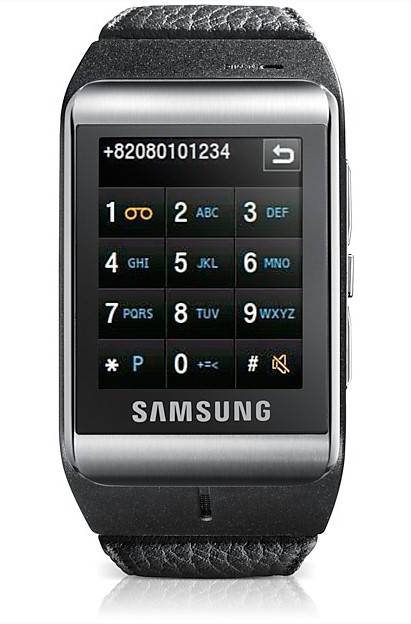
Samsung Watchphone S9110, 2009 (Source: Samsung)
As its name suggests, the device looked (like the others) very much like a phone of the era shrunk down and turned into a watch. Despite its bulky 57.7mm x 41mm footprint and 12mm thickness, it offered a meager 4-hour talk time. Worth noting: its screen could display 262,000 colors, which was a notable plus at the time.
Back in the day, tech press often used the word "gadget" to describe these wildly overpriced UFOs that let you talk to your wrist.
In 2012, a new piece from the brand Pebble hit the market with two distinctive features. The first: it was the result of a KickStarter crowdfunding campaign. The second: it featured an e-ink display, similar to what you'd find on an e-reader.
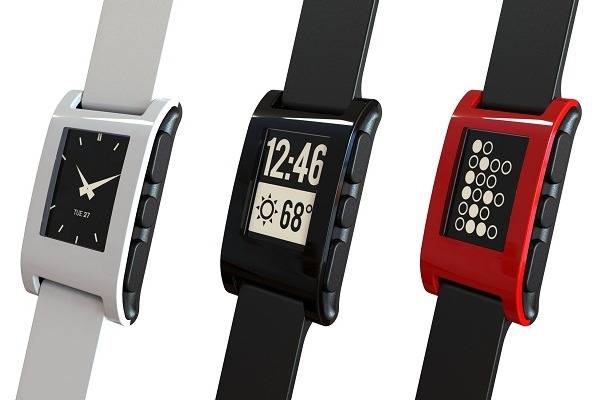
Pebble Watch, 2012 (Source: Time - Tech Land)
Thanks to its unique display technology and 130 mAh battery, it delivered a record-breaking 7-day battery life! On top of that, its $149 launch price helped it become a genuine commercial success, with over 1 million units sold.
In the years that followed, several brands began rolling out smartwatches. Sony, Samsung, Motorola, and Martian all tried to capture the market, yet none ever truly managed to stand out.
In March 2014, things accelerated with Google's launch of the Android Wear operating system (now known as "Wear OS"). This gave compatible smartwatches a simple, intuitive interface specifically designed for small screens.
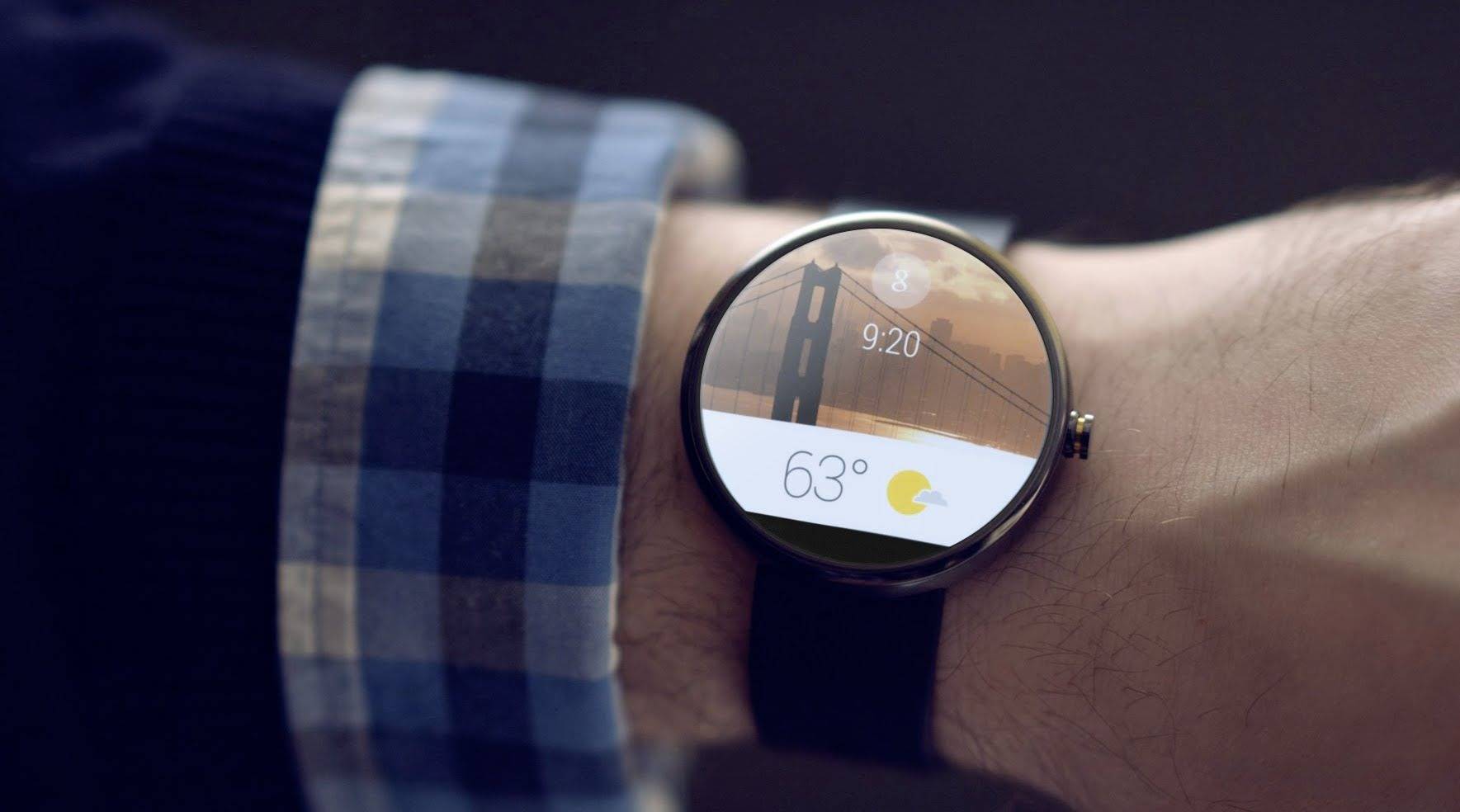
Android Wear Interface, 2014 (Source: PhonAndroid)
Smartwatches were gaining in practicality, and as the major brands gradually adopted this operating system, a new player was preparing to enter the game: Apple.
Unveiled on September 9, 2014 by the now-iconic American company, the Apple Watch wasn't immediately available. First offered for pre-order, the smartwatch from the brand with the apple logo finally went on sale in April 2015. The first generation to hit the market, called "Series 0," already packed an impressive range of features right out of the gate.
Available in two sizes (38mm and 42mm), this smartwatch features a sapphire crystal glass and came equipped with Bluetooth 4.0, a heart rate monitor, a magnetic charging system, and more. Add water resistance and a high-potential operating system (watchOS) to the mix, and you've got a future bestseller.
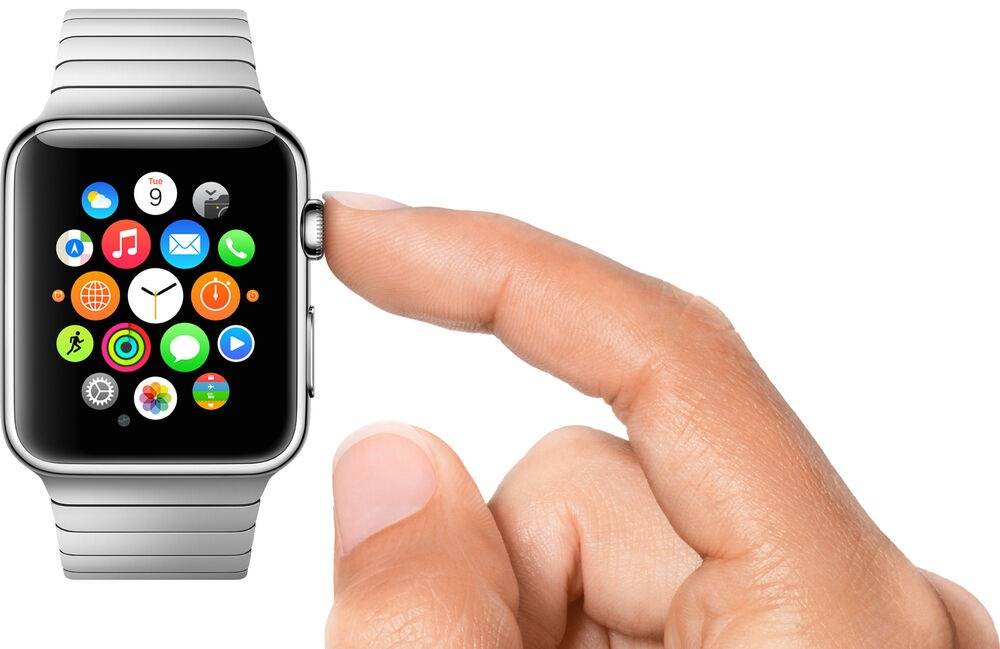
Apple Watch Series 0, 2015 (Source: Apple Fandom)
Whether you're an Apple fan or not, you have to admit that the brand's greatest strength has always been its ability to simplify technology and make it accessible to the general public. Just as the iPhone once ushered in the smartphone era, the Apple Watch revolutionized the world of smartwatches in its own right.
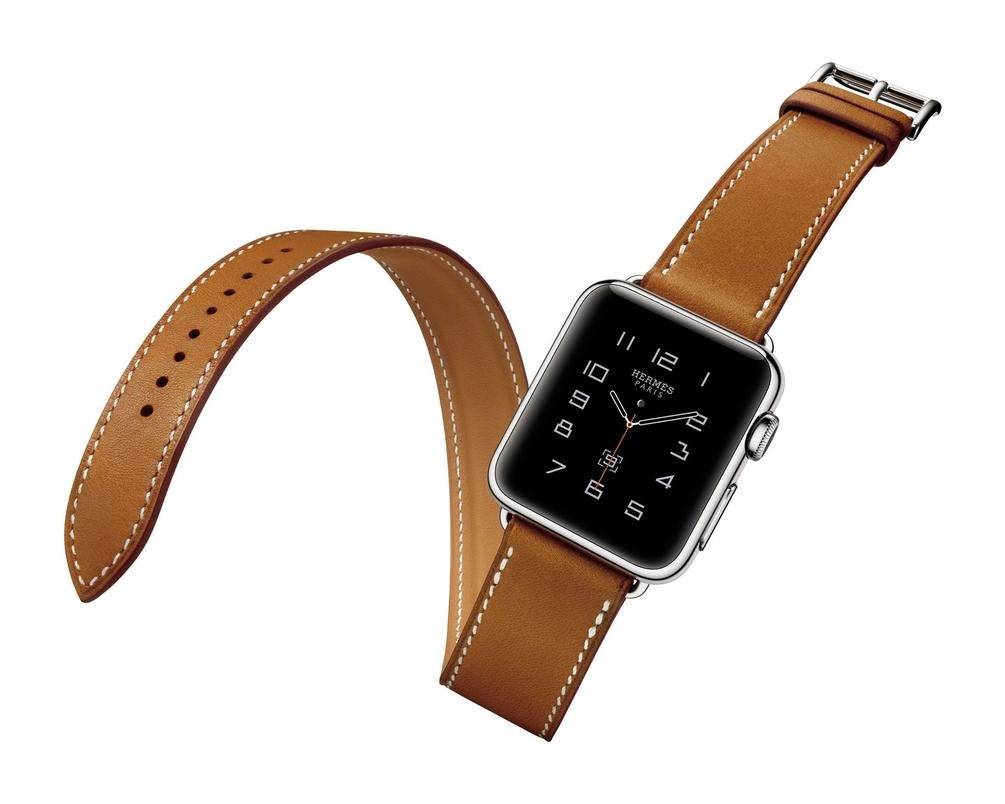
Apple Watch Series 0 Hermès, 2015 (Source: Le Figaro)
At the time, Apple understood the importance of offering distinctive products. It gave customers the ability to personalize their smartwatch and launched a special edition created in collaboration with luxury house Hermès. This version features a signature strap and exclusive watch faces, delivering a truly prestigious look.
Apple believed in this project from day one! Case in point: a version in solid 18-karat yellow gold (750/1000) was even made available in 2015 - the Apple Watch Edition. This ultra-special piece was priced at 18 000€.
Over the years, successive Apple Watch models have gained new features - including an electrocardiogram - and can even come equipped with built-in GPS, cellular connectivity, and more.
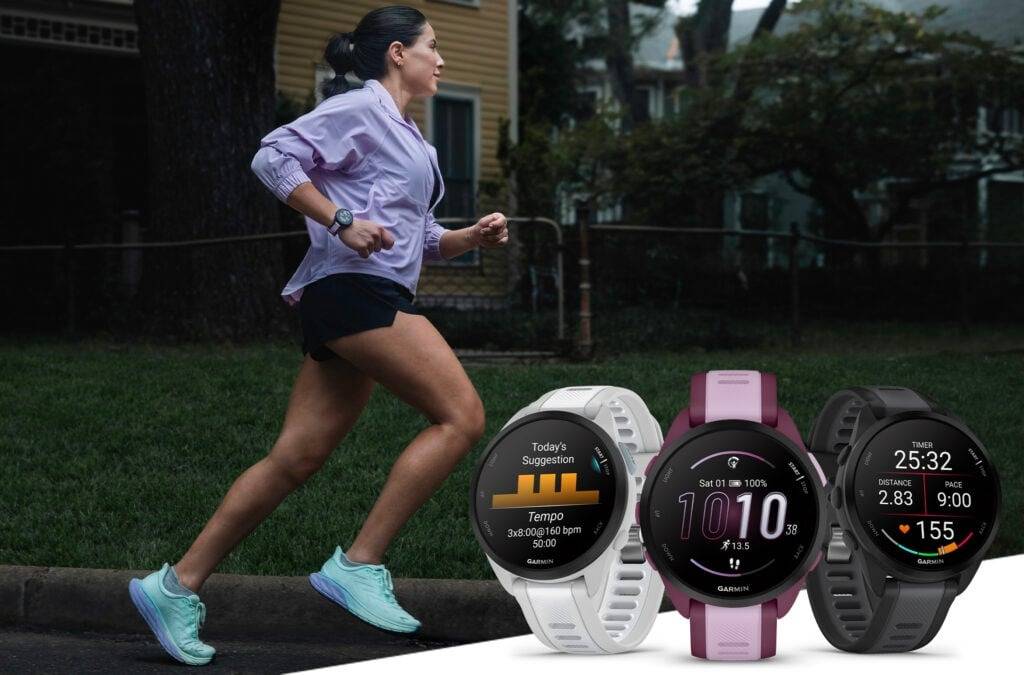
Garmin Forerunner 165 Watch (Source: Garmin)
While brands like Apple, Samsung, and Google have set their sights on the everyday smartwatch market, companies like Garmin and Suunto seem to have taken a different path. Indeed, even though these brands occasionally offer models suited for daily wear, most of their lineup is designed with athletes in mind.
So as you can see, the concept of the smartwatch is nothing new. While those early battery-powered models were revolutionary for their time, they bear little resemblance to what you can find on the market today. The great advantage you have now is that, with the technology fully matured, you can get a quality smartwatch without spending a fortune.
Like smartphones and computers, smartwatches are made up of a hardware component and a software component. The hardware is physical - it encompasses the processor, screen, battery, sensors, and so on. In short, it covers everything you can physically take apart or touch with your own hands.
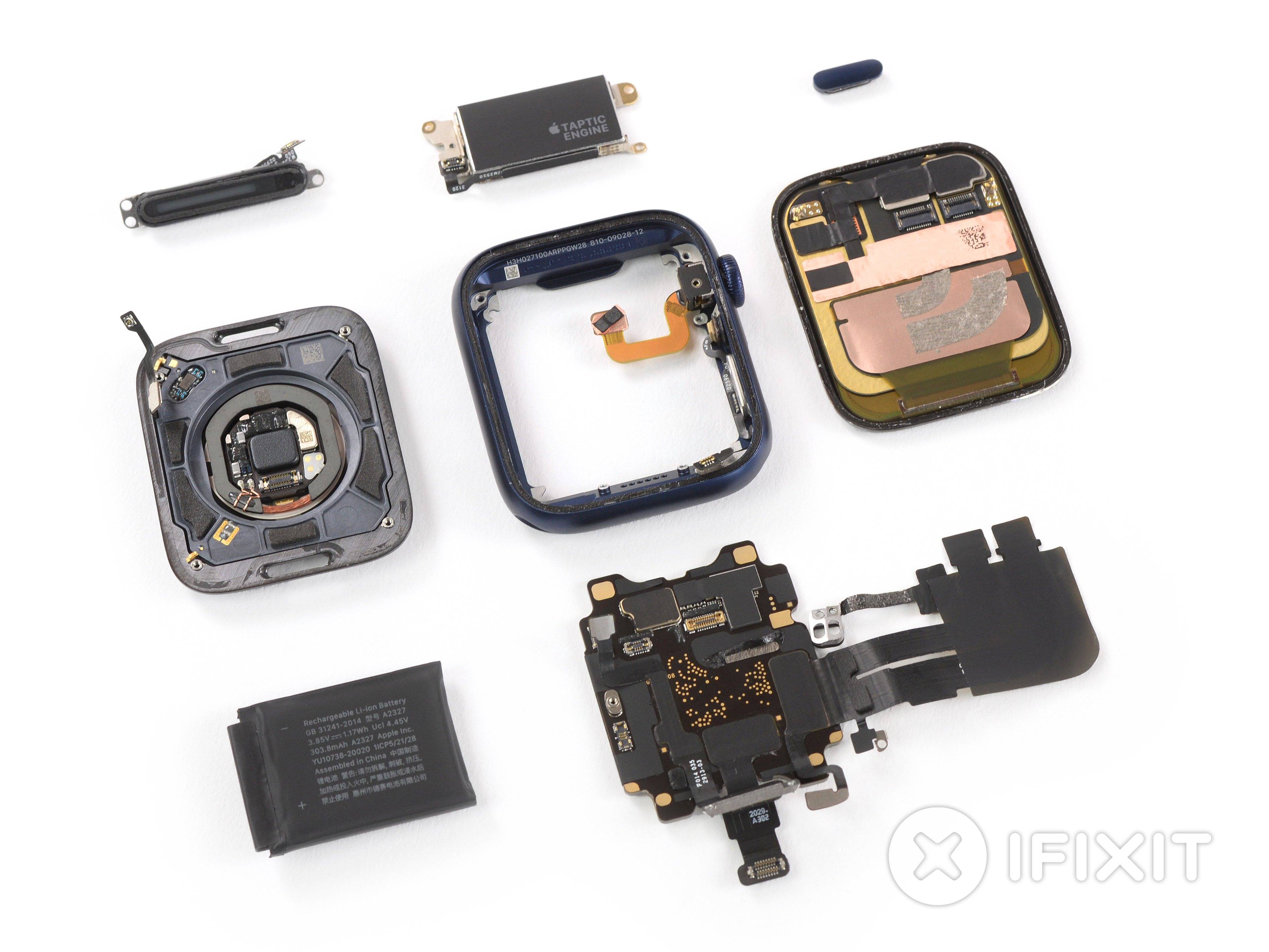
Components of an Apple Watch Series 6 (Source: iFixit)
As for the second component - the software side - it is intangible in nature and works similarly to Windows or macOS on your computer. It is essentially the smartwatch's interface, often referred to by the abbreviation "OS," which stands for Operating System.
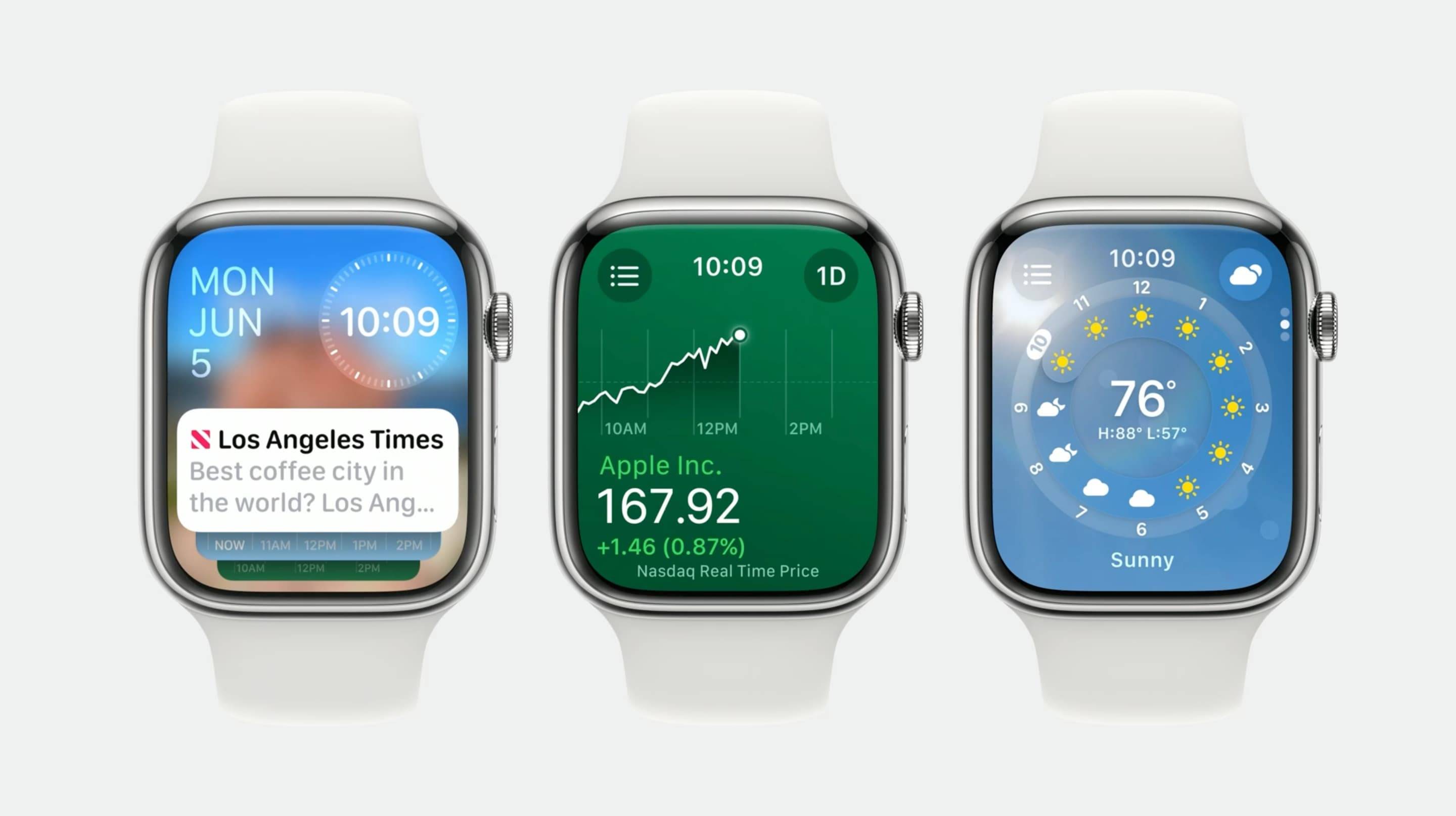
watchOS 10 Apple (Source: 9to5Google)
While there are countless operating systems out there, the vast majority of smartwatches on the market run on either Google's Wear OS or Apple's watchOS. Watches running the former are designed primarily to work with Android smartphones such as Google Pixel, Samsung, Motorola, and others. As for the Apple Watch, it delivers its full potential only when paired with a compatible iPhone - ideally the most recent one available.
As we saw in the first section of this guide, a smartwatch must be paired with a smartphone. Without that connection, you'll only have access to a fraction of the features it has to offer.
To pair with a smartphone, a smartwatch uses Bluetooth connectivity. That's precisely how information travels between the two devices!
So whenever you receive an SMS, a call, or a notification from one of your apps, your smartphone sends a signal to your smartwatch so it can alert you in real time.
You may not always notice them since they're usually tucked away inside the case, but your smartwatch packs a whole array of sensors.
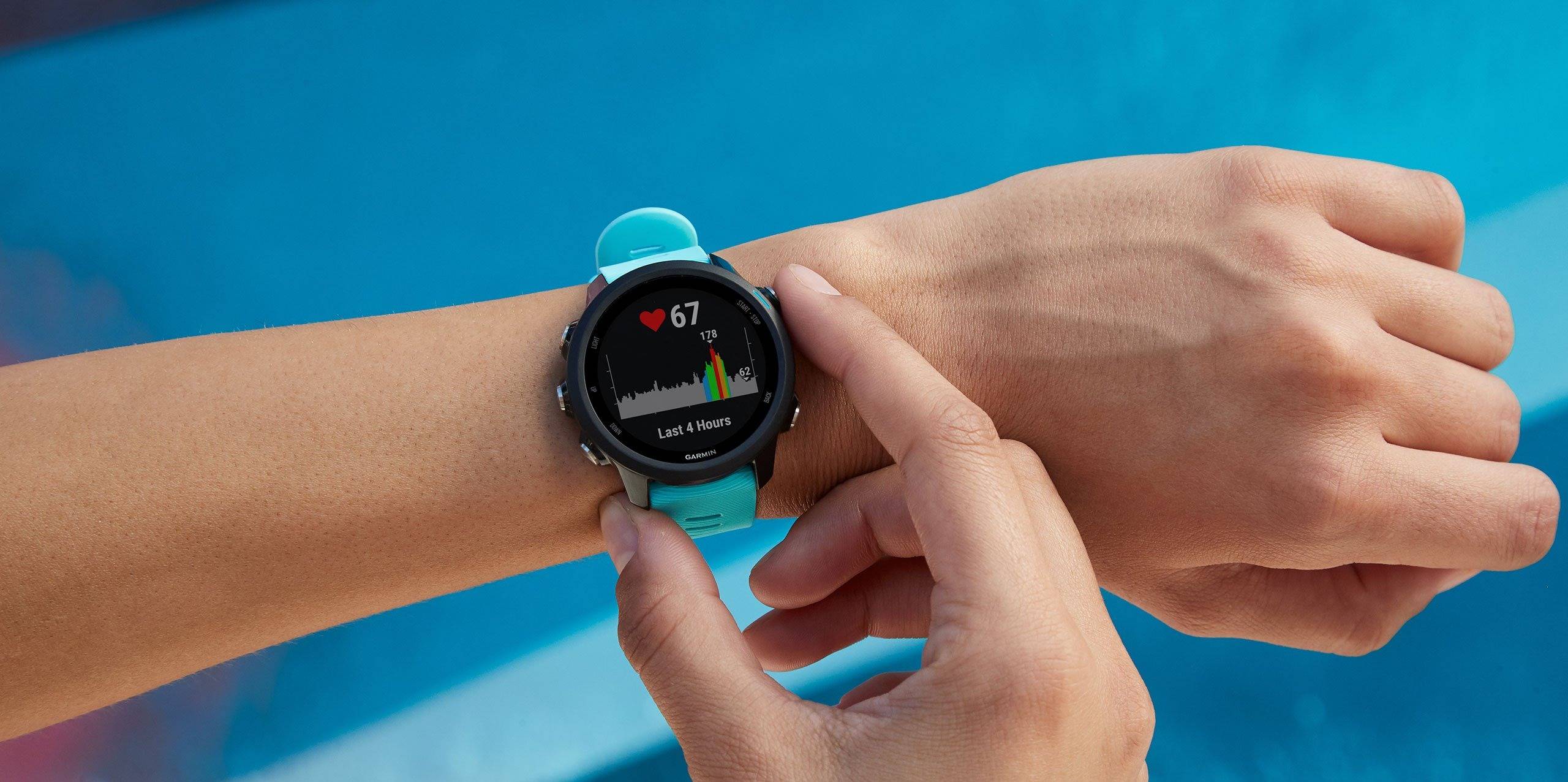
Heart Rate Monitoring on a Garmin Watch (Source: Garmin)
Altimeter, compass, accelerometer, temperature sensor, heart rate sensor… Each one plays a specific role and measures information related to your activity or environment. It's thanks to these sensors that useful data gets displayed on your smartwatch screen!
Some smartwatches also feature cellular connectivity such as 4G. This allows you to enjoy all the functions that require an internet connection without needing to establish a connection with your smartphone. In other words, the smartwatch is no longer dependent on your phone - it becomes fully autonomous, adding real convenience to your daily life.
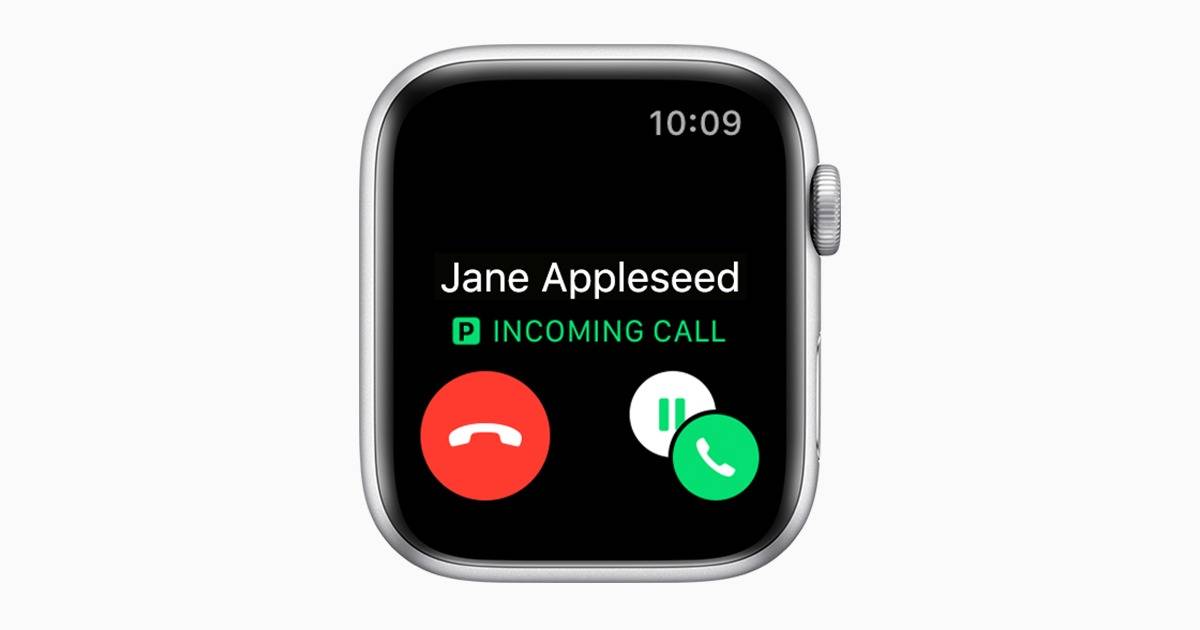
Incoming Call on Apple Watch + Cellular (Source: Apple)
Note, however, that these cellular models require you to take out a special plan with your carrier, which will issue you what is known as an "eSIM." With it, you'll be able to make and receive phone calls even when your phone isn't nearby.
Don't think a smartwatch is just a generic, one-size-fits-all device! Much like your smartphone, you can make it your own by tweaking a few things. And as you'll see, it's easier than you might think!
Just like smartphones, smartwatches have their own app store. Apple Watch users have access to the App Store, while smartwatches running Google's Wear OS connect to the Google Play Store.
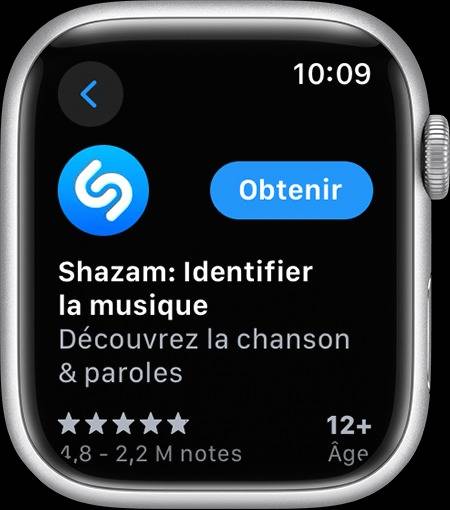
Installing an App on Apple Watch via the App Store (Source: Apple)
Once connected to these platforms, you can install all kinds of apps - from one that helps you navigate the city, to one that identifies a song that's playing, to one that lets you stream your favorite music.
If you want to install new watch faces to personalize your smartwatch, keep in mind that you'll almost always need to go through an app on your smartphone. For example, to load a new watch face on an Apple Watch, you'll need to use the "Watch" app that comes pre-installed on your iPhone.
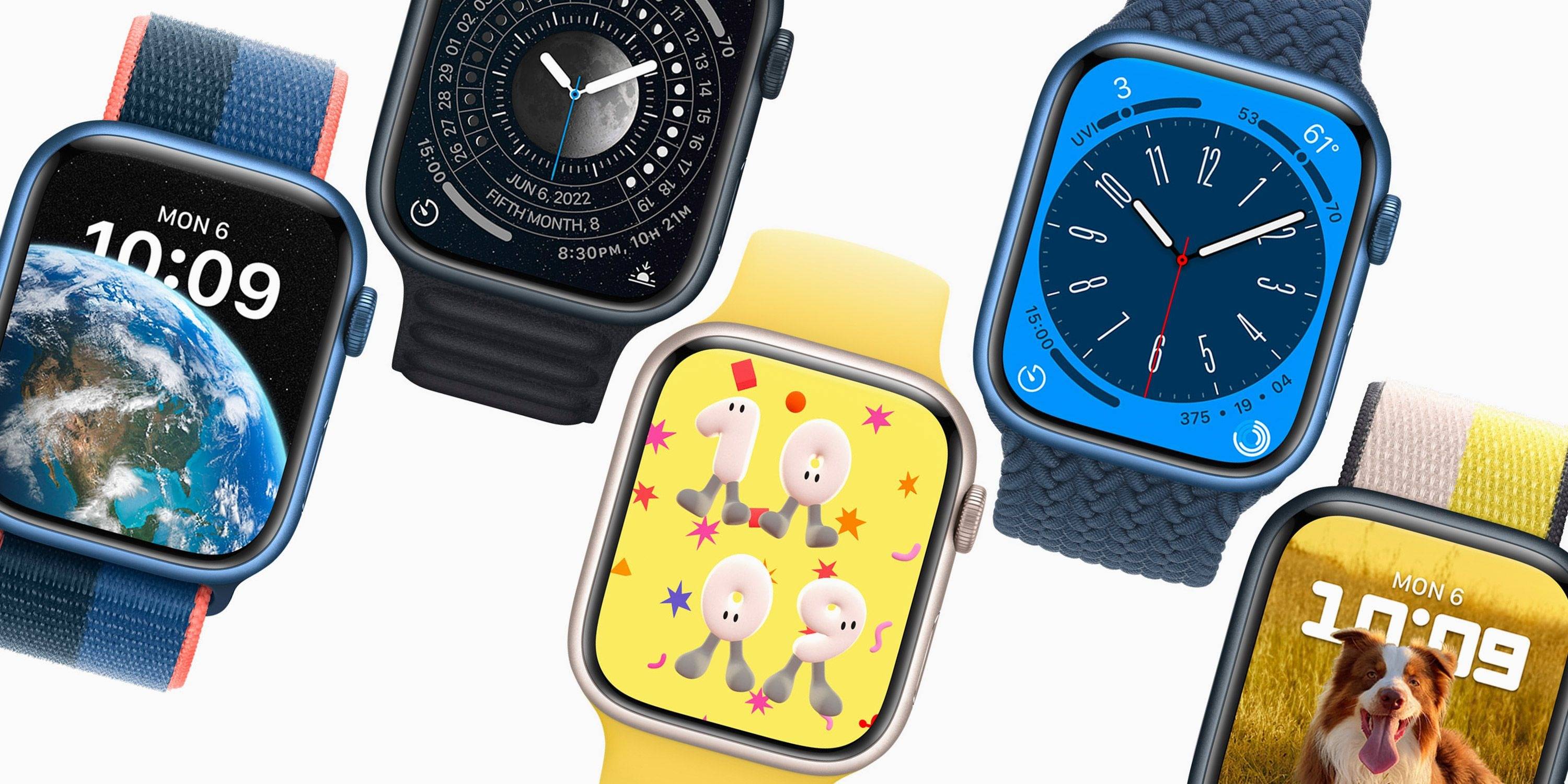
Apple Watch Dials (Source: Gagadget)
There's a watch face for every taste, from the most minimalist to the most eccentric! Whether you want a practical style for everyday wear, something more elegant to pair with your formal outfits, or a sportier look for your training sessions, you can have it all on the same watch!
As you've gathered, smartwatches work a lot like our smartphones. They're equipped with various electronic components and run on an operating system (watchOS or Wear OS). This OS lets you customize them by installing apps and new watch faces. The key takeaway: while cellular models with 4G connectivity do exist, virtually all current smartwatches need to be paired with a compatible smartphone to be fully used.
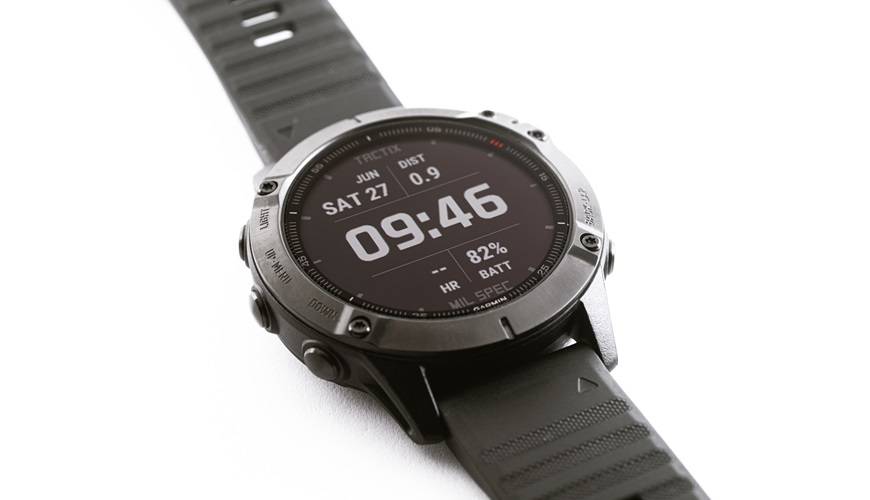
You may have noticed it yourself: smartwatches have been on a real roll in recent years. This growing popularity can be explained in several ways, but above all, it's the many benefits these devices offer that keep drawing in a wider audience. That said, don't make the mistake of thinking these little gadgets are all upside - there are some trade-offs too.
In summary, a smartwatch can help you track your activity and reduce how often you need to reach for your phone. That said, this little device - which needs frequent charging - can also prove to be a distraction.
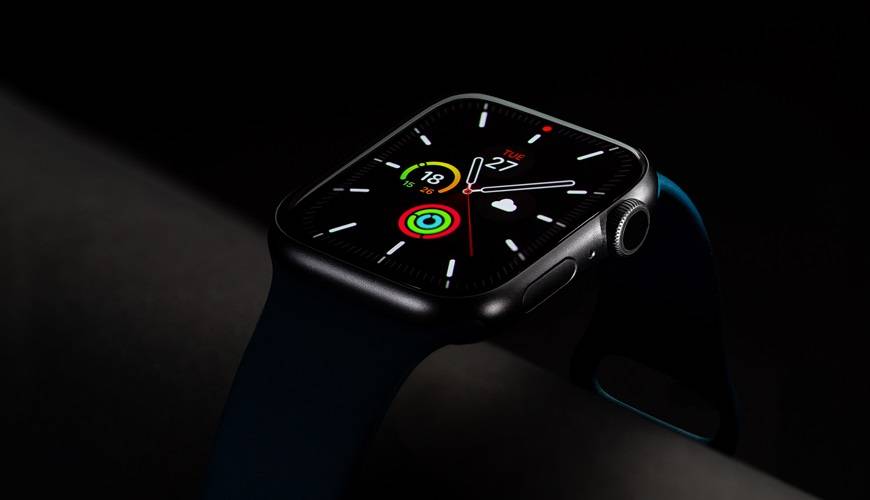
Now that you know everything smartwatches can do for you, you're thinking about getting one to keep up with your everyday adventures. You're just not quite ready to take the plunge yet - and that's completely normal.
To help you make your decision, we'll walk you through the various situations in which a smartwatch could genuinely benefit you.
You work out one or more times a week to stay in shape and want to track your progress day by day? Then getting a smartwatch could be an excellent idea!
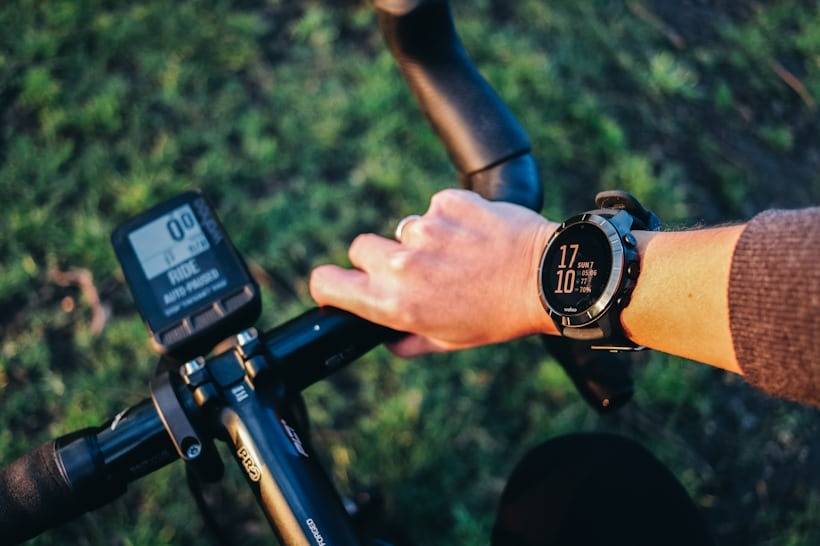
Smartwatch on a bike (Source: Hodinkee)
This little wrist-worn device lets you plan your training sessions in advance, track your performance in real time, and review your results after the fact. You can even challenge your friends and compete against each other! By giving you tips to help you improve over time, a smartwatch can also act as a mini personal trainer you can take anywhere.
And there's more - if you like to work out while listening to music, a smartwatch can be a game-changer there too. Its small touchscreen lets you easily control what's playing in your wireless earbuds, so you can always find the track that'll keep you going when you need it most!
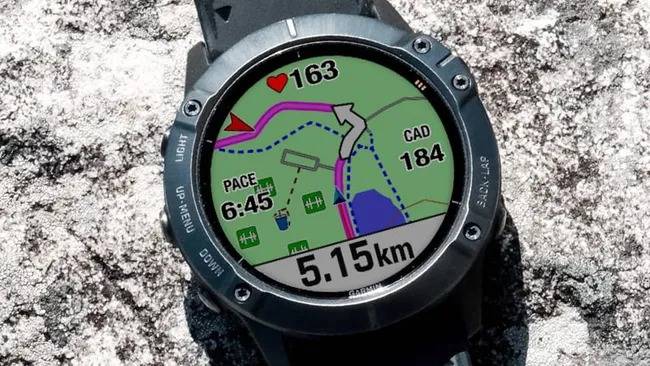
Garmin Watch with Running Map (Credit: Luke Edwards)
Its built-in GPS chip guides cyclists, runners, and hikers along their favorite routes through interactive maps. Some models even offer a safety feature that lets your loved ones know your workout is going smoothly. True peace of mind for anyone who enjoys, say, heading out for a run after dark.
In short, if you want to train more effectively and with complete peace of mind, investing in a smartwatch could be a great idea!
You lead an active lifestyle and you're open to bringing technology into your daily routine to make life easier? Then a smartwatch could be a great fit for you.
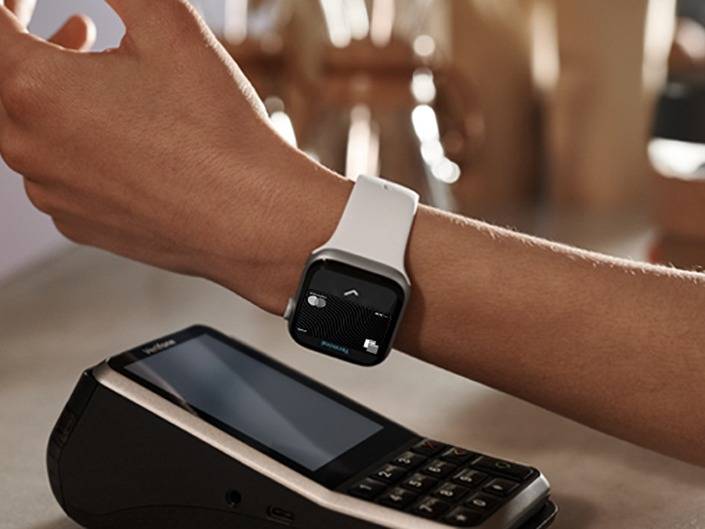
Contactless Payment with Apple Watch via Apple Pay (Source: Orange)
As we saw above, this little device offers a whole array of practical features. Its NFC chip lets you pay for purchases via contactless payment - no need to pull out your credit card or phone, which is a genuine plus in daily life!
By displaying upcoming weather forecasts, your smartwatch also helps you plan your outfit for the day and decide whether you'll need to grab an umbrella before heading out.
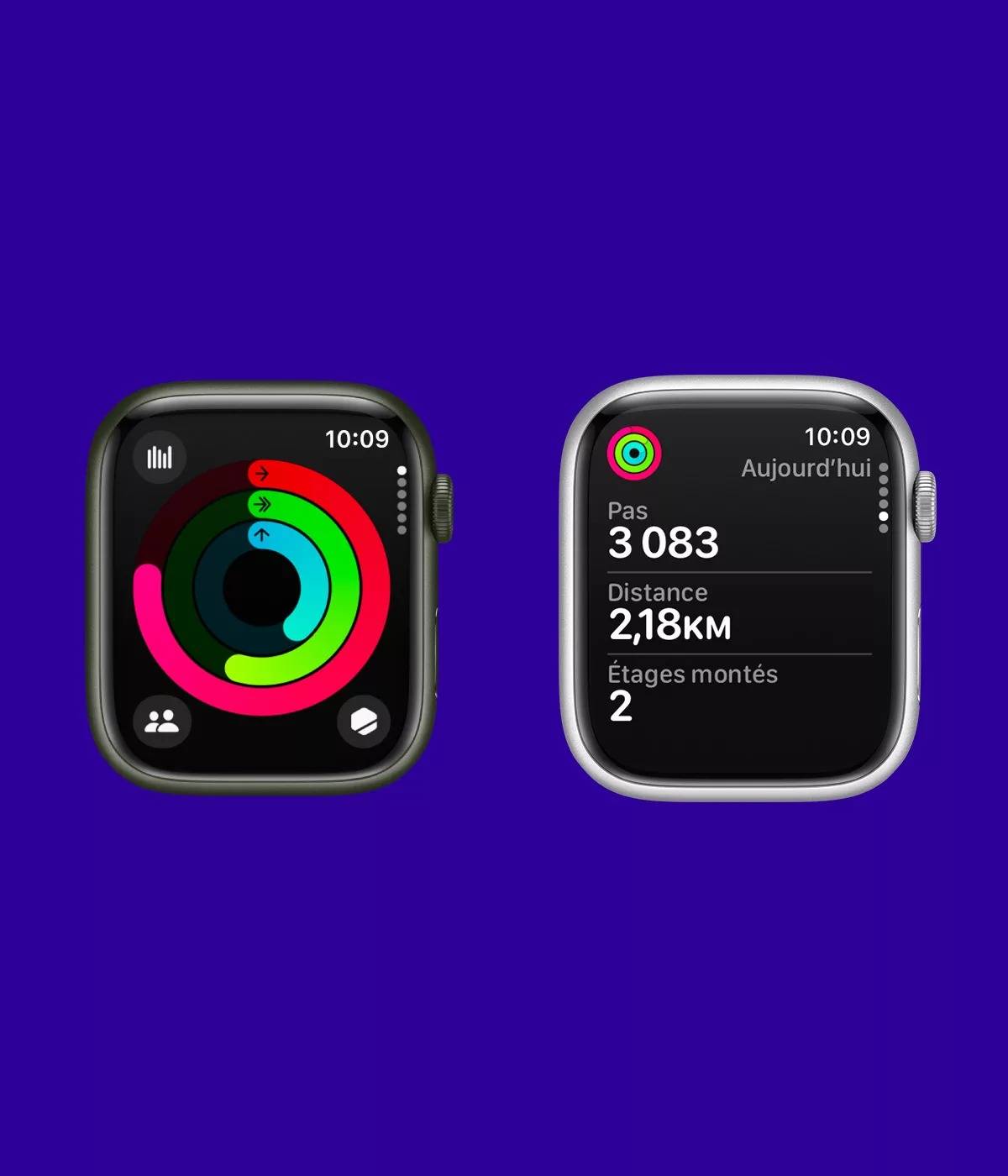
Activity Rings on Apple Watch (Source: 9h41)
Smartwatches also display stats related to your daily physical activity. Step count, distance walked, floors climbed - all of this information is just a few taps away. This lets you see whether you're moving enough or whether you need to take a few extra steps to hit your daily goal.
Professionals who regularly receive a high volume of emails and SMS messages can also find real value in smartwatches. By previewing incoming messages, they can quickly sort through them and prioritize what needs to be dealt with first - making them more efficient overall.
Few people know it, but smartwatches can also be a valuable tool for seniors. Models with a built-in electrocardiogram can flag any anomaly linked to a heart rate that is too high or, conversely, too low.
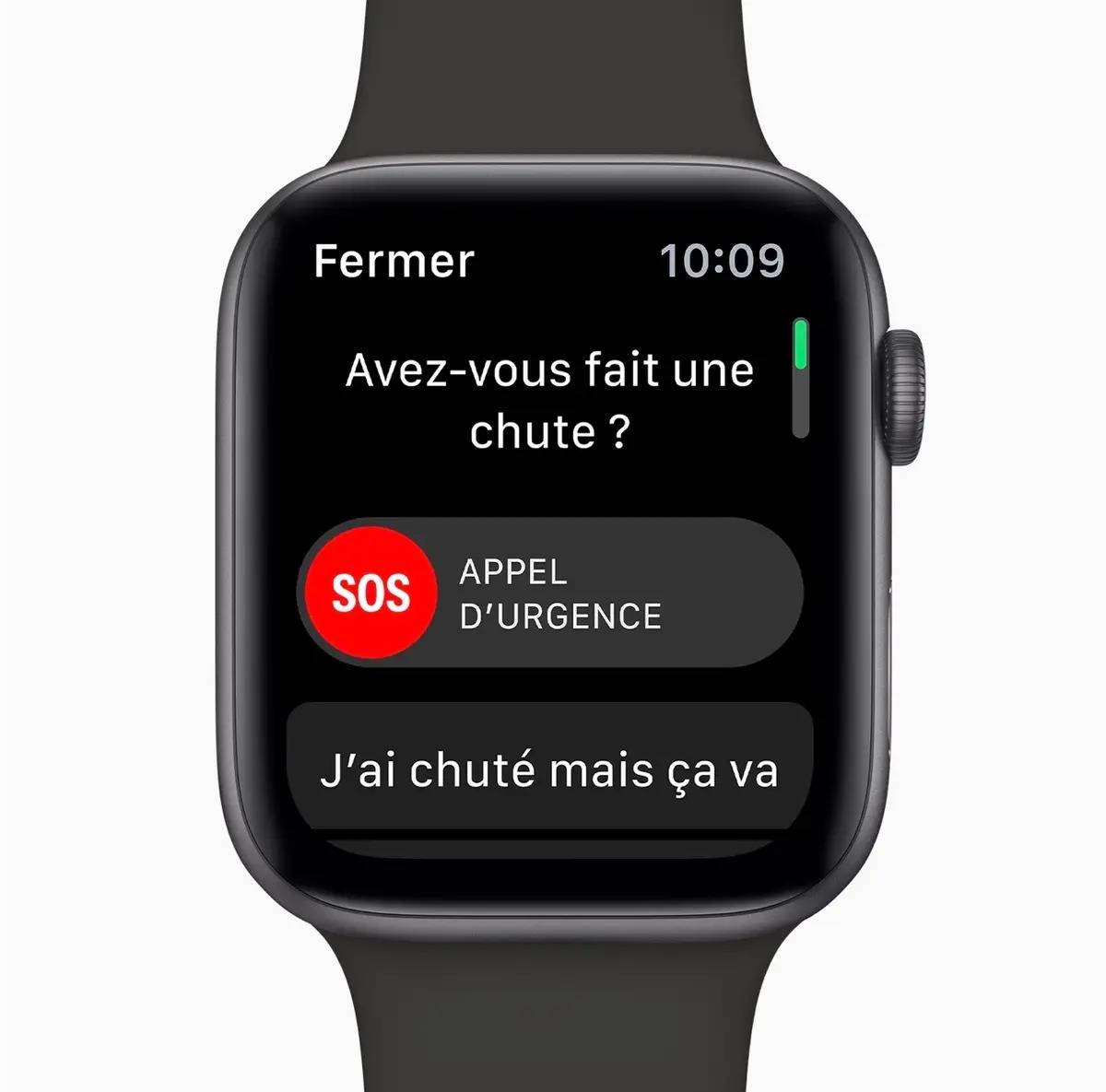
Fall Detection with Apple Watch (Source: Mac4ever)
But there's more - some models are also equipped with a sensor capable of detecting a fall. If such an incident is registered, the smartwatch prompts you to interact with the screen. If no response is detected, it automatically contacts emergency services and shares the exact location of the person on the ground. Loved ones can also be alerted. This way, help can be dispatched as quickly as possible.
Now you know the full story of smartwatches, from the earliest iterations of the early 1980s to today's modern models. You also understand exactly how these tech-packed devices work, along with their pros and cons. In short, you have everything you need to decide whether or not a smartwatch is right for you!
Share :
Official European Union notice on your rights in the event of a product's lack of conformity.


